Hi, I’m Shyam Siwakoti
a
IT Consultant.
Solution Architect.
Cloud Architect.
IT Specialist.
I am an IT Consultant and enterprise technology professional with a Master's degree in Computer Engineering and over a decade of IT management experience. I specialize in designing, implementing, and securing enterprise IT infrastructure, cloud environments, data centers, and cybersecurity solutions, helping organizations build reliable, scalable, and resilient technology systems.
Areas of Expertise
Enterprise IT Infrastructure
Designing and optimizing enterprise server, storage, and data center environments for performance, scalability, and reliability.
Cloud & Virtualization
Architecting cloud and virtualization solutions to support infrastructure modernization, flexibility, and operational efficiency.
Cybersecurity & IT Governance
Strengthening information security, assessing risks, and aligning IT controls with business and compliance requirements.
Enterprise Networking
Designing secure enterprise networks, including switching, routing, firewalls, and resilient connectivity
Backup & Disaster Recovery
Developing data protection, backup, recovery, and business continuity solutions to improve organizational resilience.
IT Consulting & Solution Architecture
Translating business requirements into practical technology strategies, solution designs, and implementation roadmaps.
Selected Projects & Solutions
Testimonial
Prashant Shrestha
IT ManagerProtective Micro Insurance
Shyam Siwakoti has demonstrated exceptional skill in grasping our complex business requirements and delivering tailored solutions. What truly sets them apart is their ability to leverage their experience to propose and clearly explain various solution options and strategic approaches.
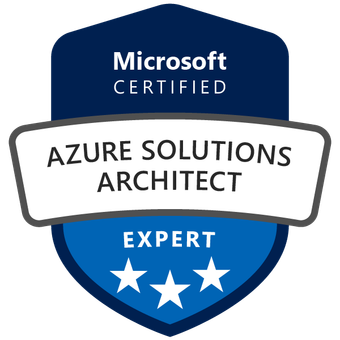
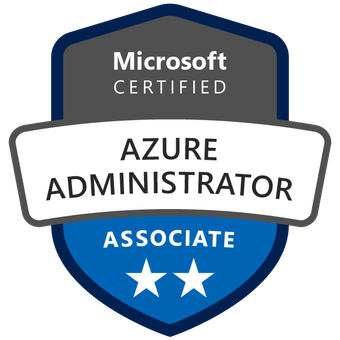
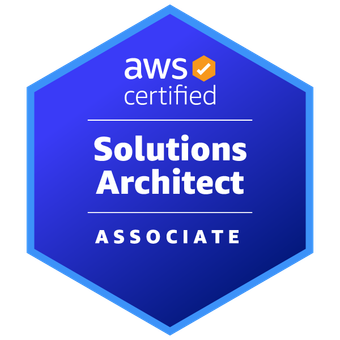
Featured Certifications
Technical Insights
Enterprise Virtualization & Cloud Architecture
ENGINEERING INSIGHTS
VMware vs Proxmox: What Businesses in Nepal Should Consider Before Migrating
A practical, vendor-neutral comparison of virtualization platforms, subscription costs, availability, backup, and migration risk for organizations in Nepal.
VMware vSphere
Proxmox VE
Licensing & TCO
Migration Planning
Why This Comparison Matters
Virtualization supports core workloads such as accounting systems, databases, ERP applications, directory services, email-related infrastructure, and internal business platforms. For organizations comparing VMware vs Proxmox in Nepal, the choice affects more than the hypervisor: it shapes licensing commitments, hardware investments, support arrangements, recovery procedures, and the daily responsibilities of the IT team.
A VMware environment may remain the best technical and commercial fit where existing integrations, specialist skills, or contractual requirements justify it. Proxmox VE can offer greater platform flexibility and a different support-cost model, but migration requires careful compatibility testing and operational planning. The correct decision is based on workload needs and total cost of ownership—not license price alone.
Decision principle: shortlist both platforms against the same application, availability, support, and financial requirements.
Key Decision Factors in Nepal
Budget & TCO: Compare subscription entitlements, CPU sizing, hardware, storage, support, labor, training, backup, and migration costs over three to five years.
Team capability: Account for existing vSphere expertise versus Linux/KVM, Proxmox clustering, storage operations, and automation skills.
Licensing & support: Validate current VMware bundles and physical core counts; assess Proxmox per-socket support subscriptions and escalation coverage.
Application fit: Review supported guest operating systems, vendor certifications, database latency, peripheral devices, and business-critical integrations.
Define RPO/RTO targets, HA behavior, backup compatibility, restore tests, network dependencies, and disaster-recovery procedures.
Quick Comparison: VMware vs Proxmox
The following is an engineering decision guide—not a price quotation. Confirm feature entitlements, support contracts, application certifications and product versions for your environment.
Aspect
VMware
Proxmox VE
Licensing
Commercial subscription options; entitlements and capacity depend on VMware offering.
Open-source Proxmox VE; paid enterprise repository/support subscriptions are available.
Cost structure
Calculate licensing for physical cores and product scope, plus support and ecosystem costs.
Subscriptions are generally quoted per occupied physical CPU socket; operations and support still cost money.
Management
vSphere/vCenter workflows and broad enterprise tooling in supported editions.
Integrated multi-node web UI, CLI and REST API; familiarity with Linux is helpful.
High availability
vSphere HA and related capabilities depend on design and applicable entitlement.
Built-in HA manager with clustered nodes, quorum, and suitable storage/network design.
Storage
SAN/NAS and VMware ecosystem storage; features vary by product and entitlement.
ZFS, NFS, iSCSI, and Ceph-based designs, among other options.
Networking
vSphere virtual networking and integrations with external network/security tools.
Linux bridges, bonding, VLAN-aware networking and supported software-defined networking.
Backup & recovery
Mature integration with enterprise backup products including Veeam.
Proxmox Backup Server and supported third-party options, including specific Veeam versions.
Migration effort
Best for maintaining an existing, validated VMware operational model.
Moving from ESXi needs conversion/restore planning, driver checks and post-migration testing.
Licensing varies by contract and product. See current Broadcom VMware licensing guidance and Proxmox subscription options.
Choose VMware if…
✓ Your organization already relies on mature vSphere processes, VMware-trained administrators, or applications whose vendors specify VMware support.
✓ Existing integrations with management, backup, monitoring, automation, and recovery tools materially reduce operational risk.
✓ The required features and enterprise support are clearly covered by a verified licensing quotation and product entitlement.
✓ Change risk, migration downtime, and staff retraining would outweigh realistic savings over the planned infrastructure lifecycle.
✓ You have tested the current environment and can justify continuing with VMware based on measurable business needs.
Choose Proxmox if…
✓ You want an open-source virtualization stack and can support it with appropriately skilled operations staff or a qualified service provider.
✓ Your workloads are compatible with KVM virtual hardware and the applications can be validated in a Proxmox pilot environment.
✓ You prefer integrated cluster management, flexible storage options, and an alternative licensing/support structure.
✓ You are prepared to design HA, quorum, networking, backup, monitoring, and a documented recovery plan—not just install the hypervisor.
✓ A realistic TCO model demonstrates value after including migration, training, enterprise support, and ongoing maintenance.
Considerations for Organizations in Nepal
A migration assessment should account for operating conditions, internal skills and business recovery objectives—not assume every enterprise has the same infrastructure.
Power resilience
Validate UPS autonomy, generator readiness where applicable, graceful shutdown procedures, power monitoring, and how storage or cluster nodes recover after an outage.
Connectivity & support
Confirm the reliability of management and backup links, remote access controls, vendor escalation channels, and local or regional support availability.
Existing investment
Audit CPU compatibility, RAM, HBA/NIC drivers, firmware, SSD/HDD health, shared storage and vendor warranties before reusing hardware.
Business continuity
Agree on achievable RPO/RTO, immutable/offline backup options, restore testing, application owners, and planned maintenance windows.
Suggested Migration Approach
A phased cutover, a real pilot and an independently verified rollback plan are more valuable than an optimistic zero-downtime promise.
01
Assess
Inventory VMs, disk formats, vCPU/RAM use, snapshots, operating systems, dependencies, applications, licensing and backup coverage. Identify workloads that cannot be moved without vendor approval.
02
Design
Build and document the target compute, storage, networking, security, HA, monitoring and backup architecture. Define acceptance criteria and a rollback plan before any cutover.
03
Pilot
Migrate one low-risk representative VM. Test UEFI/BIOS configuration, VirtIO drivers, guest tools, network adapters, disk performance, time synchronization and application functionality.
04
Migrate
Schedule phased cutovers with verified source backups, stakeholder approval, DNS/IP considerations and known downtime. Reconcile data and revalidate applications after each migration.
05
Validate
Test user access, performance, application dependencies, backup success and actual restore, redundancy behavior, monitoring, documentation and operational handover.
Frequently Asked Questions
Is Proxmox suitable for enterprise production?
Yes, when it is designed and operated for the workload. Proxmox VE supports clustering, high availability, multiple storage models and enterprise subscriptions. Production suitability still depends on application compatibility, team capability, redundancy, support and tested recovery procedures.
Will Proxmox always cost less than VMware?
Not necessarily. Proxmox VE is open source, but support, hardware changes, engineering time, training, monitoring and migration are real expenses. Compare three-to-five-year total cost of ownership using actual vendor quotations and workload requirements rather than an assumed saving.
Can we migrate VMware virtual machines without downtime?
Do not assume a zero-downtime cross-platform migration. Many workflows require a cutover, disk conversion or restore, guest driver adjustments and validation. A pilot and approved maintenance window are prudent unless a specific supported method demonstrates otherwise.
Does Veeam support Proxmox VE?
Yes, Veeam Backup & Replication supports Proxmox VE through supported versions and a compatible plug-in. Confirm the exact Proxmox release, Veeam build, required worker resources and restore features before relying on it in production.
What about VMware or Proxmox high availability?
Both can support HA with suitable designs. HA does not replace backups or disaster recovery. Plan quorum, shared or replicated storage, network redundancy, failure domains, recovery objectives and recovery testing before committing critical workloads.
Need Help Choosing the Right Virtualization Platform?
As an IT Consultant working with enterprise infrastructure in Nepal, I can discuss platform selection, VMware–Proxmox comparisons, migration planning, and cloud-ready architecture for your environment.
Discuss Your Requirements
Explore Virtualization Portfolio
Vendor Documentation & Further Reading
Proxmox VE product features · Proxmox subscriptions · Veeam Proxmox support · Broadcom VMware license capacity
Why VLAN Segmentation Alone May Not Be Enough
ENGINEERING INSIGHTS
Why VLAN Segmentation Alone May Not Be Enough for VPS Security
Understanding the limits of VLANs in multi-tenant VPS hosting—and how virtual-switch controls, tenant firewall policies, and operating-system hardening create stronger isolation.
VPS Security Segmentation Network Isolation Best Practices 
Key Takeaway
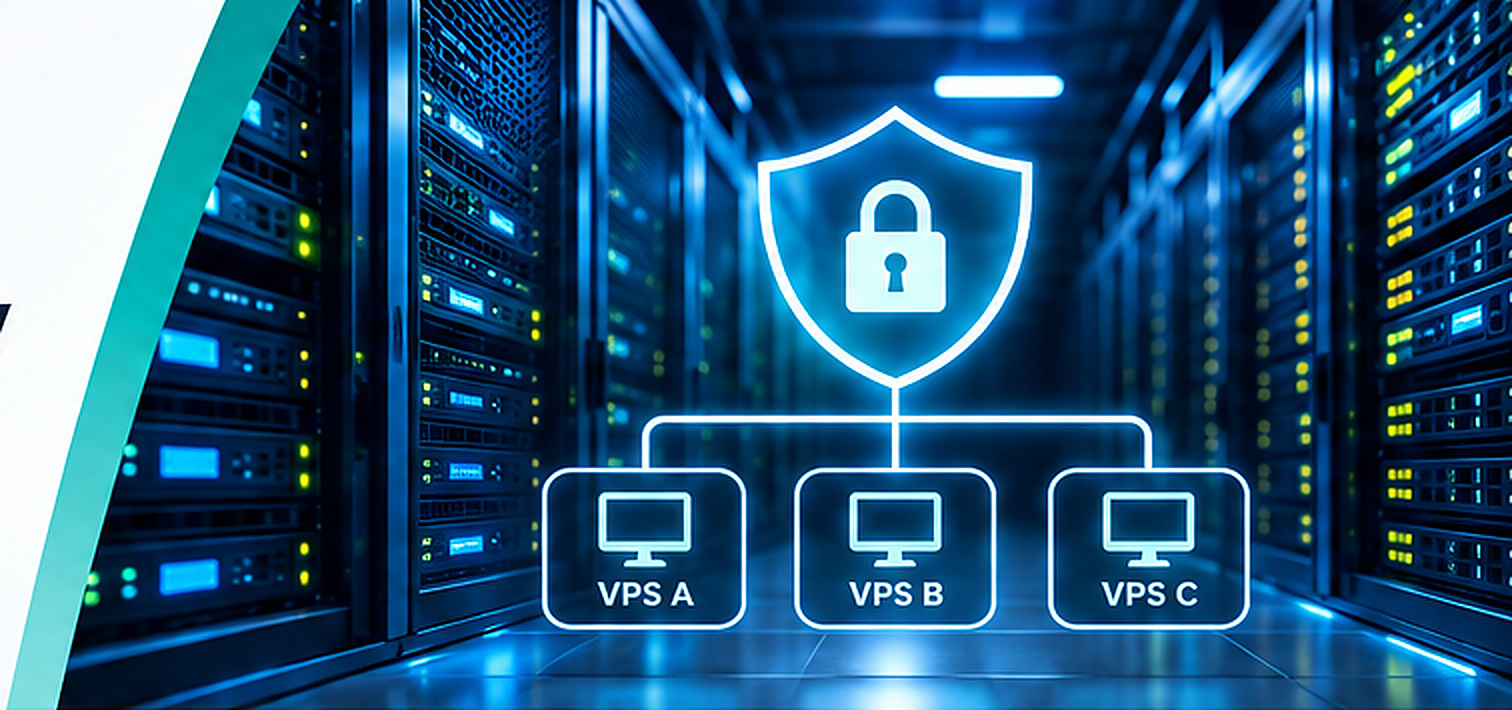
VLANs are useful for separating different network segments, but they do not automatically block communication between VPS customers sharing the same VLAN. A multi-tenant hosting environment needs deliberate tenant-to-tenant controls at the virtual switch, distributed firewall, or guest operating system.
Introduction
Virtual LANs (VLANs) are widely used to separate enterprise networks and manage broadcast domains. However, providers hosting several Virtual Private Server (VPS) customers on a shared hypervisor need a stronger question: can one customer’s virtual machine reach another customer’s machine, and which device can enforce that restriction?
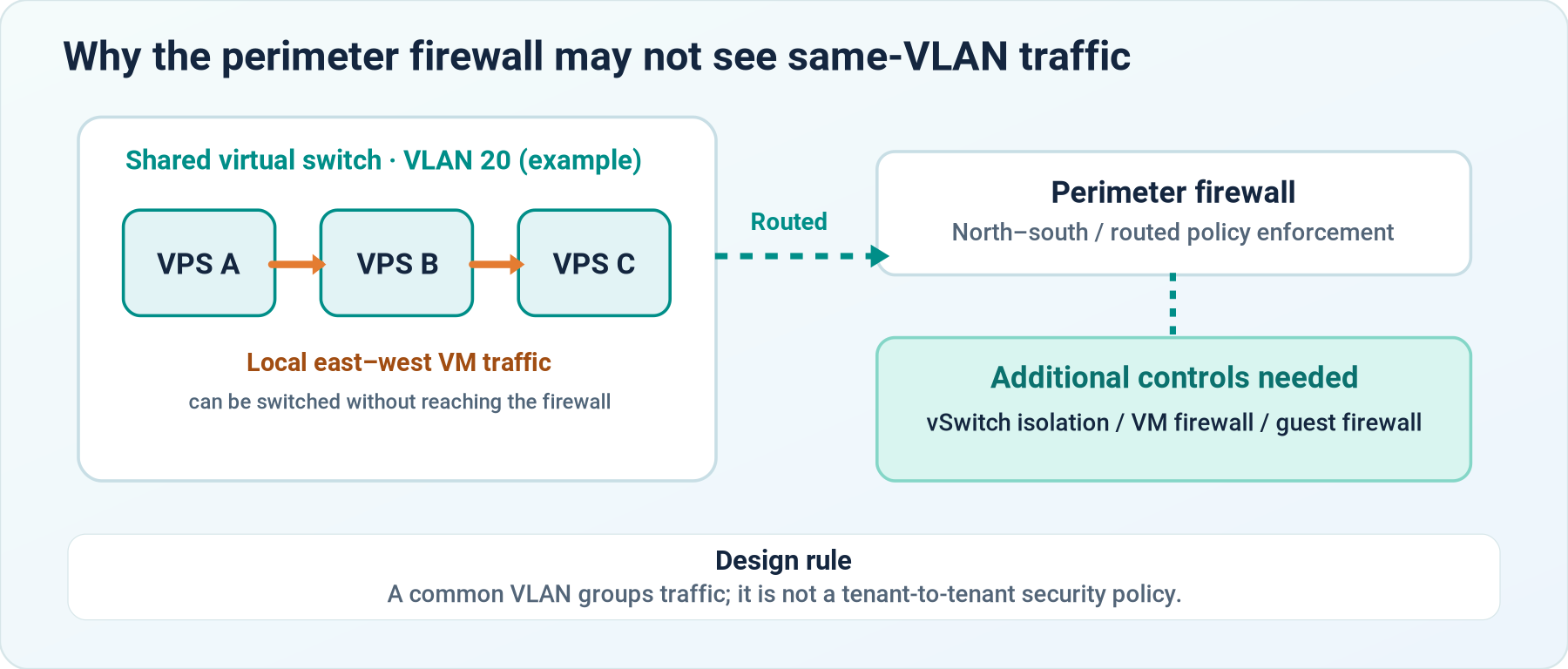
When tenants use the same VLAN and subnet, their VM-to-VM traffic may be switched locally inside VMware ESXi or Proxmox without passing through the physical switch or FortiGate. An otherwise well-configured perimeter firewall therefore may not see or filter that east–west traffic.
This article explains the networking distinction, typical exposure points, and a practical, staged approach to VPS network isolation for hosting environments in Nepal and elsewhere.
The Limitations of VLANs in VPS Environments
![]()
Shared Broadcast
VMs in the same VLAN share a Layer 2 segment. A normal VLAN tag does not isolate one customer from another.
![]()
East–West Traffic
VM-to-VM communication can remain inside a hypervisor switch, bypassing perimeter firewall inspection.
Shared Resources
Tenants share underlying hypervisor and switching infrastructure, which needs additional hardening and access controls.
![]()
Configuration Errors
Permissive port-group policies, poorly scoped firewall rules, and unmanaged RDP access increase exposure.
How VPS Traffic Actually Flows
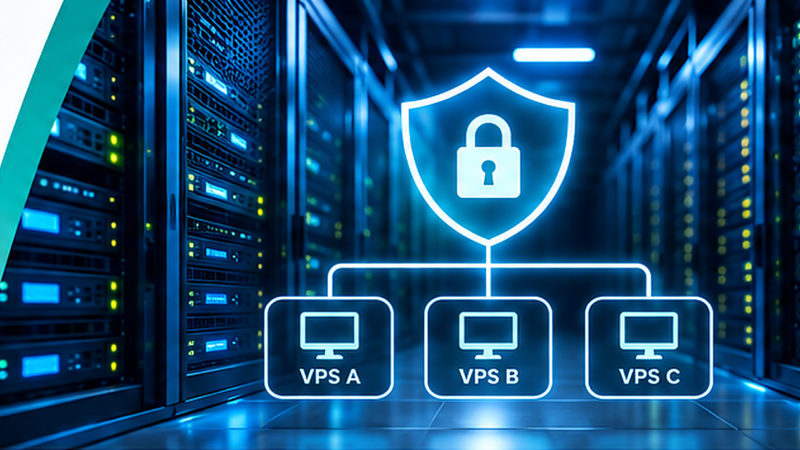
Consider three Windows VPS instances attached to the same port group and VLAN. When VPS A communicates with VPS B in the same subnet, traffic may remain within the virtual switch. It does not need to travel to the FortiGate simply because a FortiGate is the default gateway for that subnet.

Important: assigning separate port-group names while retaining the same unfiltered Layer 2 VLAN is not, by itself, a security boundary. Isolation depends on enforcement capabilities and the actual traffic path.
A Layered Security Approach for VPS Isolation
![]()
01. Network Design
Define tenant trust boundaries, allowed services, and necessary shared resources.
![]()
02. Virtual Switch Controls
Apply a supported per-port or distributed security control rather than relying only on VLAN tags.
![]()
03. Firewall Policies
Restrict tenant-to-tenant traffic at a point that actually sees it.
![]()
04. Guest Hardening
Protect Windows/Linux guests with local firewalls, patching, and account security.
![]()
05. Continuous Review
Monitor blocked attempts, audit exceptions, and test isolation after changes.
Principle: an isolation design must be validated with connectivity tests between tenants—not simply inferred from the presence of a VLAN, a firewall, or separate public NAT rules.
Choosing the Right Controls for ESXi, Proxmox & FortiGate
VMware ESXi standard vSwitch
Validate VLAN and port-group security settings. Review promiscuous mode, MAC address changes, and forged transmits; their recommended defaults address spoofing risk, but do not alone provide tenant-level traffic isolation.
VMware distributed switching
Where supported and licensed, evaluate private VLANs and distributed/microsegmentation controls. Compatibility and upstream switching behavior must be tested before rollout.
Proxmox VE
Evaluate the platform’s VM-level firewall features, Linux bridge/SDN design, and any permitted inter-VM communication. Confirm rule ordering and behavior on the actual deployed version.
FortiGate and physical switching
Use firewall policies for traffic routed or redirected through the firewall. Same-VLAN host-to-host packets do not automatically reach FortiGate; specialized intra-VLAN designs require compatible topology and features.
Windows or Linux guest firewall
Apply a default-deny stance to unnecessary inbound services; allow customer administration and application ports only from approved sources. Assume a tenant administrator can change their guest firewall.
Practical Implementation Plan
01. Discover
Inventory ESXi/Proxmox hosts, vSwitches or bridges, VLANs, guest IPs, upstream trunks, NAT rules and necessary customer-to-service access.
02. Define permitted traffic
List required flows such as DNS, backup, management, application connectivity, and RDP from approved addresses; identify tenant-to-tenant paths that should be denied.
03. Choose a pilot
Select two non-critical tenant VMs, confirm console or out-of-band access, back up network configuration, and prepare a rollback procedure.
04. Enforce & test
Apply the chosen supported isolation controls. Test allowed business flows and denied tenant-to-tenant access in both directions, on the same and different hypervisor hosts.
05. Roll out in stages
Expand by tenant groups during maintenance windows; validate operations and document exceptions and policy ownership.
06. Monitor & maintain
Retest after VM moves, switch changes or firewall updates; keep logs, configuration backups, security reviews and incident procedures current.
VPS Security Considerations for Hosting Providers in Nepal
Hosting providers in Kathmandu Valley and across Nepal often need to improve isolation while retaining customer IP addresses, remote administration access, existing Cisco switch trunks, and deployed firewall policies. Any proposed control must therefore be assessed for its effect on current services and maintenance constraints.
Where VPS users have full administrator access to their Windows guest, guest firewall rules provide helpful defense in depth but are not a substitute for provider-controlled tenant isolation. Prefer a network or hypervisor-level enforcement point that the customer cannot modify.
For older standalone ESXi deployments, do not assume that features available with vCenter, distributed switching, or a particular VMware license are present. Similarly, Proxmox firewall behavior and bridge integration should be confirmed against the exact installed release. Test everything before changing production network paths.
Frequently Asked Questions
Does a VLAN stop one VPS customer from accessing another?
It separates traffic between different VLANs, but if multiple customers share one VLAN, it normally does not block their direct Layer 2 communication. Add an explicit enforcement mechanism and verify the result.
Will a FortiGate automatically inspect traffic between VMs in the same subnet?
No. When two VMs exchange frames locally on the same virtual switch or Layer 2 segment, those frames may never reach the FortiGate. Traffic must traverse an appropriate inspection point before its firewall policies can apply.
Can I keep existing private IP addresses during VPS isolation?
Sometimes. Solutions such as supported port-level restrictions, private VLAN or microsegmentation designs, and selected firewall enforcement models may preserve addresses. The answer depends on your hypervisor licensing, switch topology, routing, and service dependencies.
Are separate ESXi port groups enough to isolate two customers?
Not automatically. Two port groups mapped to the same VLAN can still allow communication. Review whether a specific security feature actually prevents lateral traffic.
Are Windows Firewall rules sufficient when customers have administrator access?
They are useful defense in depth but not a trustworthy sole isolation boundary when customers can alter their own rules. Provider-managed virtual-network controls are preferable.
What should be tested before enforcing isolation in production?
Verify DNS, application ports, RDP access, backup operations, required shared services, denied cross-tenant traffic, VM migration behavior, monitoring, and rollback access.
Conclusion
VLANs remain essential for organizing networks, but multi-tenant VPS security is ultimately about where access policy is enforced. A secure architecture combines deliberate tenant boundaries with supported virtual-switch controls, appropriate firewall policy, host and guest hardening, and continuous verification.
Whether a provider uses standalone VMware ESXi, vCenter-managed infrastructure, Proxmox VE, Cisco networking, or FortiGate security, the safest design is the one that demonstrably blocks unauthorized tenant-to-tenant paths while preserving approved customer services.
Further Reading
Broadcom: Security implications of ESXi vSwitch security policies
Broadcom: Isolated private VLAN behavior on distributed switches
Fortinet: Secured LAN and intra-VLAN considerations
Discuss VPS Isolation & Network Security
Need to review a VMware, Proxmox, Cisco, or FortiGate-based hosting environment? I welcome conversations about secure design, migration planning, and practical tenant isolation.
Discuss Your Requirements
Related Network Security Portfolio
![]()
At a Glance
Focus
VPS network isolation and multi-tenant security
Core problem
Same-VLAN east–west traffic may bypass a perimeter firewall
Technology
ESXi, Proxmox VE, virtual switches, FortiGate, Cisco
Outcome
Verifiable, provider-controlled tenant boundaries
![]()
Related Project
Enterprise Network Security & Infrastructure Modernization
Explore firewall design, VLAN segmentation, secure VPN and resilient network architecture.
What You’ll Learn
![]()
Where VLANs stop
Understand the difference between segmentation and isolation.
![]()
Common exposure points
Inspect east–west paths, switch settings and VM privileges.
![]()
Defensible controls
Compare hypervisor, firewall and guest safeguards.
![]()
Implementation checks
Test tenant boundaries before production rollout.
![]()
Quick Navigation
VLAN Limitations
Layered Security
Practical Implementation
FAQs
Backup Success Doesn’t Guarantee Recovery
ENGINEERING INSIGHTS
Backup Success Doesn’t Guarantee Recovery: Building Ransomware Resilience
Why a completed backup job is only the first step—and what organizations in Nepal need for verifiable, dependable recovery after ransomware.
Ransomware Backup & Recovery RPO / RTO Recovery Testing DR Planning 

Key Takeaway
A successful backup job does not prove that a business can recover. Ransomware resilience requires protected recovery copies, realistic RPO and RTO targets, documented dependencies, clean recovery environments, and repeatedly tested application restores.
1. Introduction — Why Backup Success Is Not Recovery Assurance
Backups are essential, but they are not the same as a proven business recovery capability. A backup application may report that a scheduled job completed without errors while the organization still lacks a usable copy of a critical database, the administrative credentials needed to restore it, or the infrastructure dependencies required to bring the application online.
Ransomware changes the recovery problem. Attackers may target accessible backup repositories, identity systems, virtualization management, shared storage, and privileged accounts. Even clean backup data is of limited value if an organization cannot rebuild a trustworthy operating environment or verify that restored applications are safe to reconnect.
For organizations planning ransomware recovery in Nepal, the practical goal is not simply “more backups.” It is a recovery architecture that fits the organization’s workload priorities, available IT skills, off-site connectivity, power resilience, and realistic business downtime tolerance.
2. Why Backup Jobs Succeed Yet Restores Fail
A green job status usually confirms that a particular backup operation finished according to its software checks. It does not automatically demonstrate application consistency, availability of an uncompromised restore point, recoverability of passwords or keys, or success of a full disaster recovery procedure. Consider these failure scenarios:

![]()
Incomplete or corrupted data
A backup file may be incomplete, unreadable, or missing application-critical transaction data even when the job was recorded as successful.

![]()
Compromised access
Compromised credentials or encryption keys may allow attackers to delete copies or block recovery operations.

![]()
Dependency failures
Identity, DNS, databases, storage, and application services may need a specific recovery order before users can resume work.

![]()
RTO/RPO mismatch
A restore may eventually work but take longer or lose more data than the business can tolerate.
Operational lesson: measure whether a representative workload can be restored and validated under realistic conditions. The true success criteria are usable data, working applications, acceptable downtime, and an environment that is safe to return to service.
3. Understanding Recovery Point Objective and Recovery Time Objective
Recovery requirements should come from business impact analysis, not from an arbitrary default in backup software. The two most important targets are:

![]()
RPO — Recovery Point Objective
The maximum acceptable amount of data loss measured in time. An RPO of four hours means the business plans for losing no more than approximately four hours of recent changes, assuming the recovery design meets that objective.
Illustrative example only: a financial application may require much more frequent recovery points than a test environment.
![]()
RTO — Recovery Time Objective
The target time to restore a service to its agreed operational state following an interruption. An RTO of eight hours requires adequate capacity, access, data, dependencies, and tested procedures—not merely a fast backup job.
Illustrative example only: application validation and user acceptance are part of the recovery timeline.
A low RPO may require frequent backups, snapshots, or replication. A low RTO may require warm standby infrastructure, simpler recovery sequencing, and automation. These objectives are related, but improving one does not automatically improve the other. Both should be documented and tested for each critical workload.
4. Applying the 3-2-1-1-0 Backup Strategy
The 3-2-1-1-0 model is a useful planning discipline popularized by Veeam. It extends multiple-copy protection with an offline or immutable layer and verified backup health. It is a design guideline, not a guarantee of ransomware immunity.
![]()
3 copies
Production data plus at least two independent backup copies.

![]()
2 media
Use suitable diversity of media or storage failure domains.

![]()
1 off-site
Maintain at least one copy away from the primary site.

![]()
1 protected
Keep a copy offline, air-gapped, or immutable under controlled access.

![]()
0 unresolved errors
Investigate verification failures and prove that selected restores work.
Organizations should interpret “zero errors” as an ongoing verification objective: backup failures and restore-test exceptions must be detected, investigated, and resolved. It is not proof that every possible restore scenario has been tested. Immutable storage also requires correct retention policies, credential separation, and protection against compromised administrators or configuration changes.
5. Designing a Resilient Backup and Recovery Architecture
A practical architecture separates production workloads from primary backup storage and adds an independently protected recovery copy. The illustration below is conceptual; actual deployment depends on workload size, retention, security boundaries, available bandwidth, and the provider’s recovery objectives.
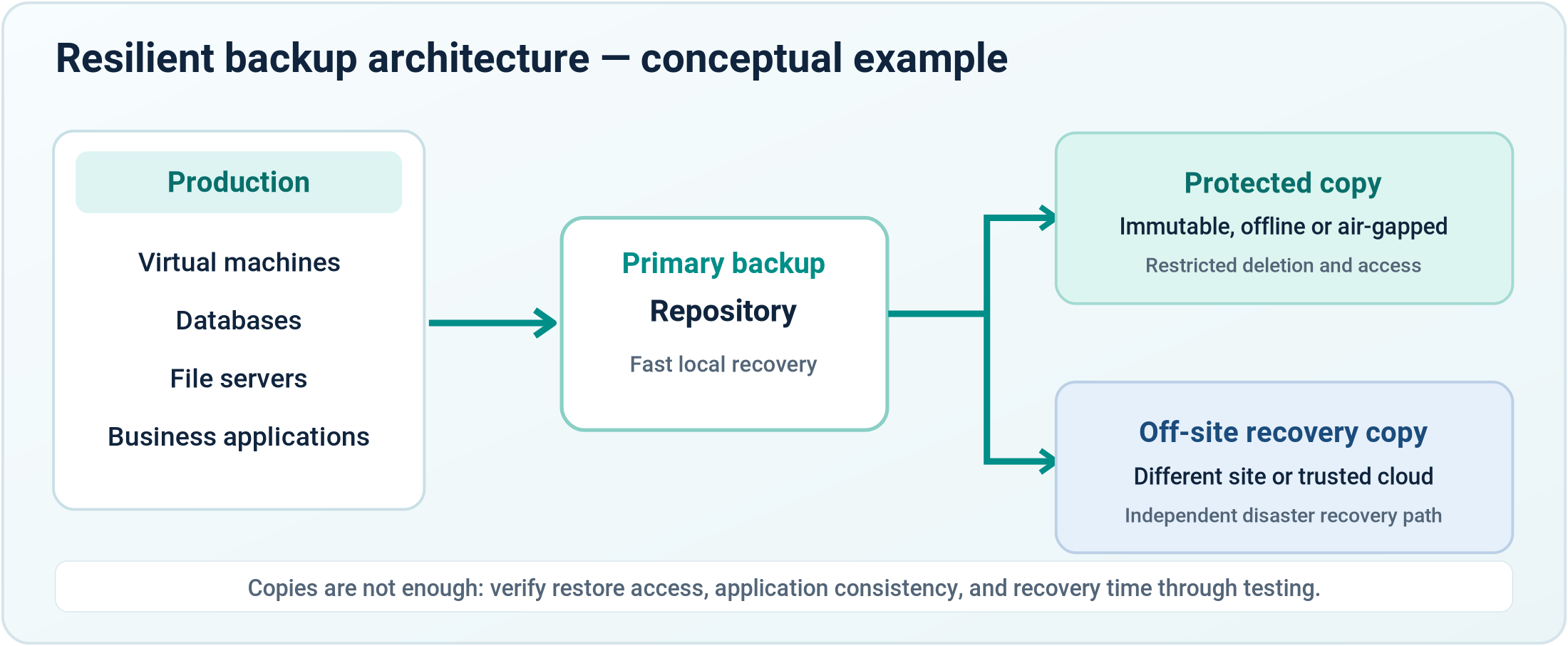
Production: identify virtual machines, databases, file services, and critical applications. Confirm consistent backup processing and understand transaction logs, application agents, or snapshot limitations.
Primary repository: size backup capacity and throughput for retention and recovery, not only daily ingestion. Restrict management access and monitor repository health.
Protected copy: maintain an offline, air-gapped, or immutable copy with independent access controls and retention safeguards. Do not assume a separate folder on the same reachable system is equivalent to isolation.
Off-site copy: place recovery data in a different physical or logical failure domain. Test whether that copy can be accessed when the main office, primary internet link, identity system, or backup server is unavailable.
6. Backup Security, Immutability and Access Separation
Ransomware resilience depends on the administrative security of the backup environment. Attackers who obtain privileged access may try to disable schedules, erase repositories, change retention settings, or compromise the systems used for restoration.

![]()
Separate identities
Use dedicated privileged backup accounts and minimize shared administrative credentials.

Strong authentication
Protect management interfaces and privileged operations with multifactor authentication where supported.
![]()
Restricted deletion
Limit who can remove backups, adjust immutable retention, or disable security controls.

![]()
Retention governance
Document backup frequency, generations, retention periods, and change approval.
![]()
Network isolation
Restrict backup management networks and connections to approved systems and services.
Encrypted backups can protect confidentiality, but encryption is not immutability. Immutability can reduce unauthorized deletion or alteration, but it cannot by itself guarantee the availability of a clean restore point or the successful recovery of an application. Combine the controls and periodically verify them.
7. Recovery Dependencies and the Correct Restoration Order
Recovering individual virtual machines in random order can create a long and confusing outage. A business application may depend on directory services, DNS, databases, application servers, storage permissions, firewall rules, and client authentication. The recovery runbook should document these dependencies and the order in which they must be validated.
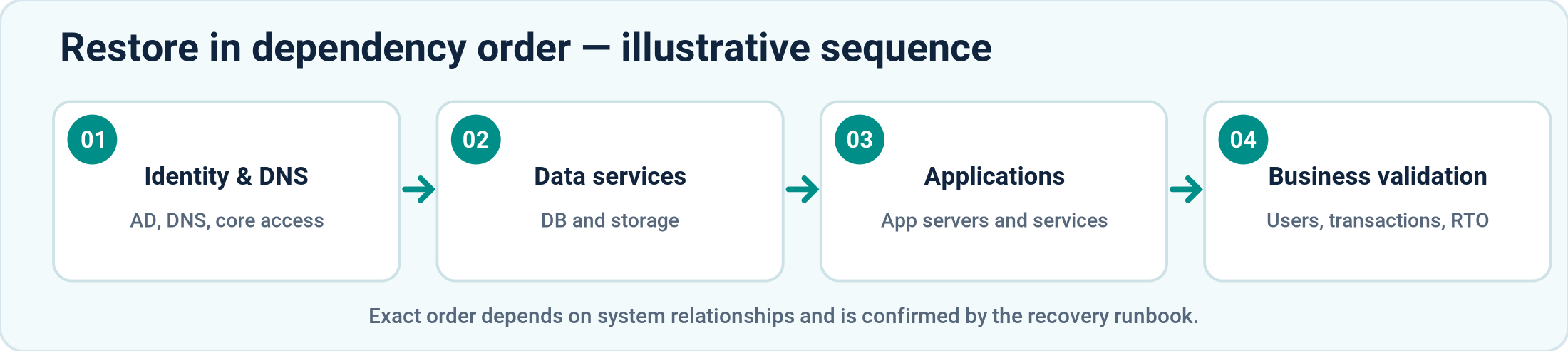
For a typical enterprise environment, foundational identity and network services may be restored before databases and application tiers, followed by application functionality and business-user verification. However, this is only an example: the correct sequence depends on the environment, and a compromise of identity systems may require rebuilding them from trusted sources rather than restoring them directly.
Designated system owners should define which applications are essential, which data sets are authoritative, what credentials and licenses are needed, where installation media and configuration backups are stored, and who can approve the return to production.
8. Recovery Testing Matrix — What Should Actually Be Verified?
A meaningful test program covers more than restoring a file. Run smaller technical tests regularly and periodically exercise business-critical workflows end-to-end. Record duration, failures, owner sign-off, and the changes needed to meet RPO/RTO targets.
Test type
Acceptance evidence
File-level restore
Restore representative files and verify access permissions and content integrity.
VM restore / instant recovery
Boot selected virtual machines in a controlled recovery network and test service operation.
Database recovery
Verify application consistency, required logs, and the ability to open a functional database.
Application transaction
Confirm an actual application workflow with the business or application owner.
Isolated recovery
Recover into a segregated environment and validate that restored workloads are clean.
Full DR exercise
Test site-level dependencies, staffing, communications, recovery order, and measured RTO/RPO.
Use a documented sample of workloads and rotate coverage over time. A completed test should produce evidence: screenshots or logs, an incident or change ticket, the test operator, the elapsed recovery time, data-integrity results, and corrective actions. Avoid claiming that an untested workload has been validated.
9. Practical Ransomware Recovery Playbook
When ransomware is suspected, the first objective is to contain the incident without destroying evidence or making uncontrolled changes. Recovery actions should follow an incident response plan, involve responsible decision-makers, and prioritize trusted systems and data.
![]()
01. Declare & contain
Activate incident response, isolate affected systems and safeguard remaining clean copies.

![]()
02. Preserve evidence
Capture relevant logs and evidence before indiscriminate rebuilding where feasible.

![]()
03. Assess scope
Identify affected services, compromised accounts and trustworthy restore points.

04. Rebuild clean
Prepare a trusted, segmented recovery environment with patched systems.

![]()
05. Restore
Recover from validated copies and follow dependency-aware sequencing.
![]()
06. Validate & return
Test services, security controls and business workflows before reconnection.
During response, preserve relevant evidence and communicate with stakeholders, insurers, advisers, and authorities as required. Do not reconnect restored systems until the incident team has reasonable assurance that the original compromise path has been addressed. After restoration, review the incident and update controls, runbooks, and recovery targets.
10. Practical Considerations for Organizations in Nepal
Ransomware recovery strategies must reflect local operating realities. Two organizations using the same backup product can have very different recovery performance because of infrastructure size, available specialists, internet connectivity, electrical resilience, and the distance to the secondary recovery site.

![]()
Power resilience
Plan UPS runtime, generator availability, safe shutdown, and restoration of dependent network/storage systems.
![]()
Off-site connectivity
Measure upload windows, restore bandwidth, alternate ISP access, and recovery options when the primary circuit is unavailable.
Hardware capacity
Confirm that replacement compute, storage, and compatible drivers or hypervisors can be obtained or made available when needed.
![]()
On-premises & cloud
Choose off-site and cloud protection according to recovery times, data locality, cost, access controls, and available connectivity.
![]()
Local operational readiness
Assign named owners, review vendor support arrangements, and rehearse recovery with the team that will operate it.
In Nepal, the right architecture may combine an on-premises fast-recovery repository with an off-site immutable or offline copy. Alternatively, it may rely more heavily on hosted recovery infrastructure. Neither model is automatically best; the decision should follow a costed business-impact assessment and realistic recovery testing.
11. Monitoring and Measurable Recovery Readiness
A backup dashboard is one input to readiness reporting. Leadership and the IT team should also see whether the recovery design can satisfy service expectations. Useful indicators include:
![]()
Backup job health
Daily failures, warning trends, and unresolved exceptions
![]()
Restore test results
Last successful file, VM, database, and application tests
![]()
RPO performance
Age of the latest usable point against each critical workload target
![]()
RTO performance
Actual restore duration measured in exercises
![]()
Repository capacity
Forecast capacity and immutability-retention headroom
![]()
Access security
Privileged account reviews, MFA, changes and anomalous deletions
![]()
Runbook freshness
Last plan review, test owner, contact list, and documented actions
12. Conclusion — Measure the Ability to Recover
Backup success is necessary, but it is only the beginning of ransomware resilience. Organizations need trustworthy recovery points, appropriate separation of privileges, immutable or offline protection, accurate application dependencies, available restore infrastructure, and a recovery plan that has been tested with real workloads.
The most useful question for an IT team is not “Did last night’s backup finish?” but “Can we restore the right business services, from a trusted point in time, within our agreed limits, and prove that they work?” Designing, practicing, and improving that capability is how backups become business continuity.
Technical References & Further Reading
NIST SP 800-184 — Guide for Cybersecurity Event Recovery
CISA/MS-ISAC — Ransomware Guide
Veeam Best Practice Guide — 3-2-1-1-0 data protection rule
Build a More Resilient Recovery Strategy
Need to assess ransomware recovery readiness, design immutable backup storage, define realistic RPO/RTO targets, or validate business-critical restores? I welcome consulting discussions with organizations in Nepal.
At a Glance
Focus
Ransomware resilience and tested recovery
Core problem
Successful backup job ≠ recoverable business service
Approach
3-2-1-1-0, RPO/RTO, isolation and restoration drills
Desired outcome
More predictable, validated business continuity

![]()
What to Prioritize
![]()
Protect copies
Use offline/air-gapped or immutable backup protection.

![]()
Test recovery
Validate data, applications and elapsed restore times.
![]()
Document dependencies
Sequence identity, databases and applications.

![]()
Measure readiness
Report actual RPO/RTO exercise results.
![]()
Related Technical Portfolio
Enterprise Virtualization & Cloud Architecture
Explore compute, virtualization, migration, high availability and infrastructure design considerations that also affect recovery planning.
Frequently Asked Questions
If my backup job succeeds, why test a restore?
Job completion does not prove that a database is consistent, a VM will boot, or a dependent business application will work. Testing verifies data, dependencies and elapsed recovery time.
What does the 3-2-1-1-0 rule mean?
Keep at least three total copies across two storage media or failure domains, one off-site, one offline/air-gapped/immutable, and aim for zero unresolved verification errors.
Does an immutable backup guarantee ransomware recovery?
No. It reduces the risk of deletion or modification during retention, but you must still protect credentials, maintain clean restore points, and verify application-level restores.
How often should recovery tests be performed?
Schedule tests based on risk and business criticality. Frequently test individual restores and periodically run broader application or disaster recovery exercises, especially after major changes.
What is the difference between RPO and RTO?
RPO is how much recent data loss the business can accept; RTO is how long it can tolerate the service being unavailable. Both must be defined and measured.
Can a business recover if the primary site is unavailable?
Potentially, if it has independently accessible off-site recovery data, replacement or standby capacity, required credentials, connectivity, and a tested runbook.

![]()
Need an IT Recovery Review?
Discuss backup architecture, cyber recovery, restoration testing and recovery planning for your organization.
Technology Ecosystem


Let's Connect
Er. Shyam Siwakoti
IT Consultant | Enterprise IT Infrastructure | Cloud Architect | CybersecurityI welcome opportunities to collaborate on enterprise IT infrastructure, cloud architecture, cybersecurity, solution architecture, and IT consulting initiatives.
Phone: +977-9840603451 Email: siwakoti@sym.com.np